Why Windows 11 Folder Names Remain Counterintuitive
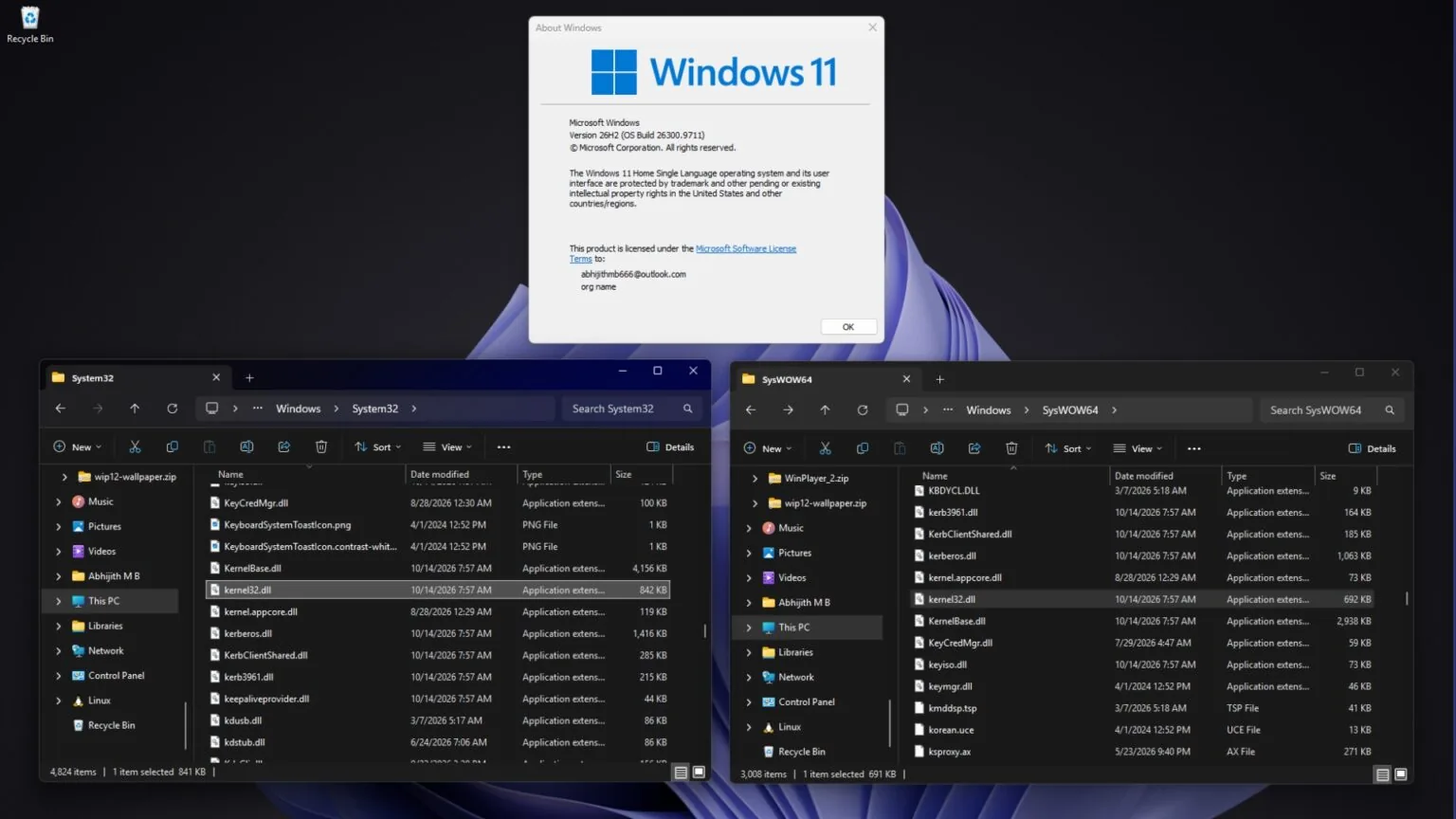
Technology publication Windows Latest recently published an insightful article illuminating Microsoft’s persistent folder naming conventions within Windows 11. Specifically, the System32 directory houses 64-bit files, whereas the SysWOW64 folder surprisingly contains 32-bit files.
In the Windows 11 26H2 architecture, the kernel32.dll file exists simultaneously within both the System32 and SysWOW64 directories. However, the respective 64-bit and 32-bit iterations differ distinctly in their physical file sizes.
Decoding the System32 Paradox
The publication emphasizes a fascinating structural reality within modern 64-bit Windows 11 environments. The System32 folder serves primarily as the native repository for 64-bit system files. Conversely, the SysWOW64 directory actually archives files designed strictly for older 32-bit applications, despite bearing the number “64” in its nomenclature.
Official Microsoft documentation, alongside veteran engineer Raymond Chen, clarifies the situation. Furthermore, Windows Latest explains why Windows 11 keeps 64-bit files in System32 and 32-bit files in SysWOW64, noting that this peculiar arrangement stems entirely from historical compatibility requirements.
During the archaic era of 16-bit Windows, system files resided strictly within the C:\Windows\System directory. Upon the advent of 32-bit Windows, Microsoft introduced System32 specifically to accommodate 32-bit files. Consequently, this bold action originated the famous “32” suffix.
Today, a 32-bit command prompt reports itself as an x86 architecture. Moreover, when actively querying the System32 directory, it instinctively detects the kernel32.dll file located hidden within SysWOW64.
Maintaining Legacy Compatibility
As 64-bit Windows subsequently ascended to universal prominence, countless programs had already hardcoded the System32 path into their core instructions. This widespread practice included complex scripts and legacy installers. Had Microsoft repurposed this directory strictly for 32-bit files, myriad older applications would inadvertently load incorrect dynamic-link libraries. This scenario would inevitably precipitate catastrophic installation failures.
Therefore, Microsoft ultimately resolved that System32 must perpetually store files mirroring the current operating system architecture. In a modern 64-bit Windows ecosystem, this translates directly to native 64-bit files.
The Magic of the WOW64 Layer
To guarantee the seamless execution of an immense catalog of legacy 32-bit applications, Windows ingeniously introduced the WOW64 compatibility layer. This system operates smoothly alongside a sophisticated file system redirector. Whenever a 32-bit program actively requests access to System32, the operating system covertly diverts the request to SysWOW64 in the background.
Ultimately, the “64” embedded within SysWOW64 denotes the overarching 64-bit Windows environment executing the process. Furthermore, the WOW64 acronym translates explicitly to “Windows 32-bit on Windows 64-bit”. This elegant mechanism profoundly extends beyond mere folders to encompass both the system registry and program directories. For instance, 32-bit applications instinctively utilize the Wow6432Node registry view and the Program Files (x86) directory.