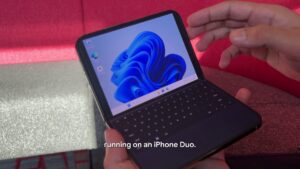

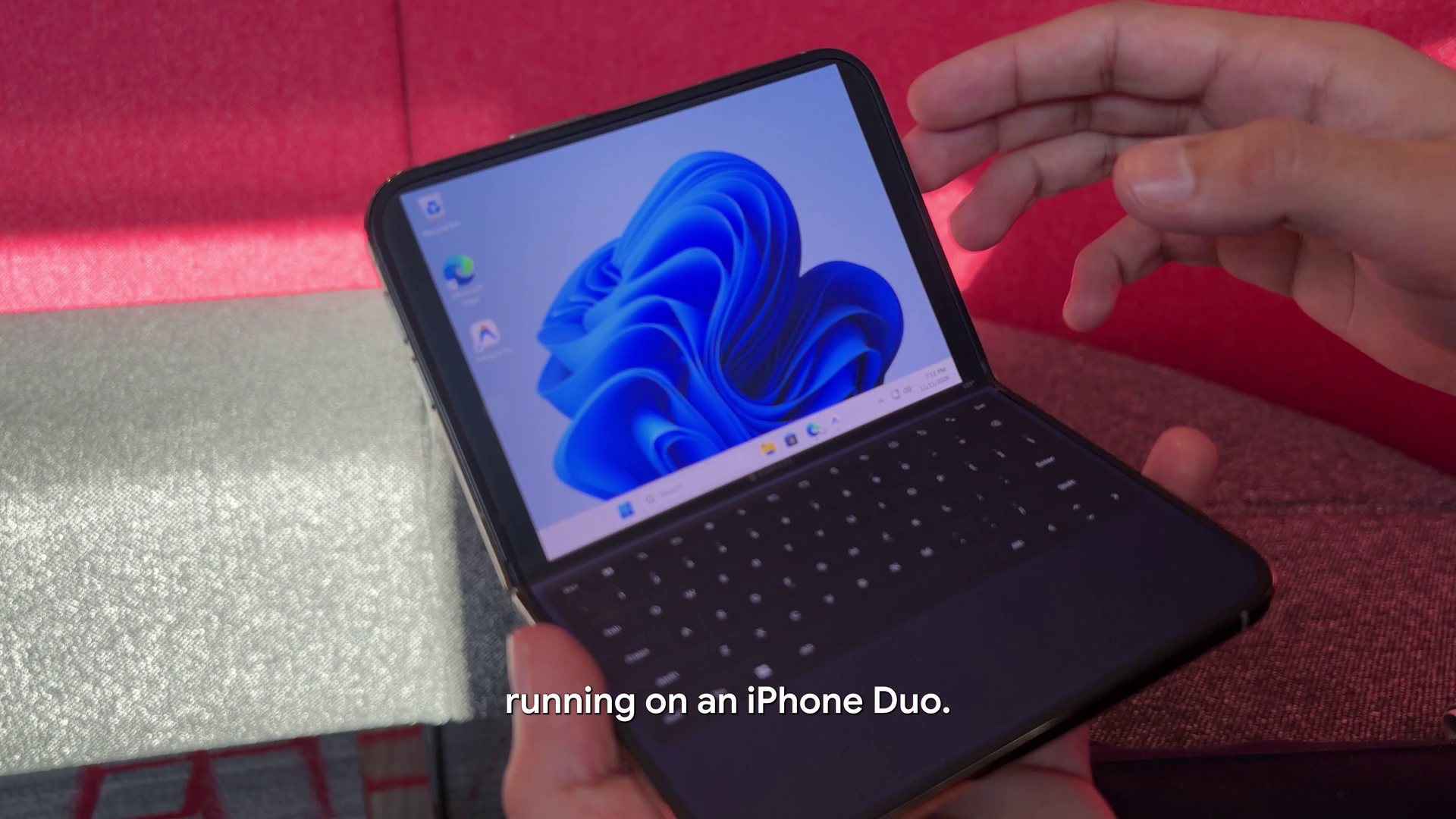
A new open-source project runs the desktop ARM version of Windows 11 on Apple’s foldable iPhone Duo, with no jailbreak. Getting there is not simple, though. The documented setup needs an Apple silicon Mac, a set of developer tools, and a Windows image with Microsoft Defender and Windows Update switched off.
Ammaar Reshi, who leads product and design at Google AI Studio, shared a demo video on X this week. He said he used Google’s Gemini 4 Carbon model to build the project. He named it WindowsiOS and published the code in a public WindowsiOS repository on GitHub.
What the Windows 11 iPhone Duo demo shows
According to Windows Latest’s report on Reshi’s demo, Windows runs locally in a virtual machine on the phone. It does not stream from the cloud or connect to a remote PC.
The project uses the Duo’s hinge. When the phone is half folded, the top screen shows the Windows desktop. The bottom half turns into an on-screen keyboard and a multi-touch trackpad, so the phone looks like a tiny laptop. When fully open, Windows fills the whole display.
Windows Latest says the keyboard even includes a Copilot key. The demo shows Microsoft Edge with Google AI Studio, an Antigravity agent at work, and MS Paint. The GitHub page lists Edge and Antigravity 2.31.0 among the apps running in the guest.
Japanese site Sumahoan covered the post, dating it to November 11, US time. The site also pointed out that the project needs a Mac and a debugger and is not something you download from the App Store.
Reshi also said users can go back to iOS without losing personal files or apps, Windows Latest reports. The install takes about 12GB.
What changes for you
For almost every iPhone Duo owner, nothing changes today. WindowsiOS is a developer project, not a consumer app. The phone is also a niche device. Apple’s first foldable starts at $1,999 and reached customers on October 23.
Here is what the project’s own documentation lists before you can try it.
| Item | What WindowsiOS needs |
|---|---|
| Phone | iPhone Duo (iPhone19,4, A20 Pro) on iOS 26 or iOS 27 |
| Computer | Mac with Apple silicon, M1 or newer |
| Build tools | Xcode, xcodegen, meson, ninja, pkg-config, libslirp, llvm/lld and Python 3 |
| Windows | Your own Windows 11 24H2 ARM64 retail ESD file (not included) |
| Firmware and drivers | EDK2 UEFI firmware and Red Hat virtio-win NetKVM drivers (not included) |
| Install and launch | Built with xcodebuild, installed with devicectl, started by a script that attaches the LLDB debugger |
| Jailbreak | Not required |
| License | GPL-2.0-or-later |
Put simply, you need a Mac, comfort with the command line, and your own copy of Windows. That rules out most people, even among Duo owners.
The security trade-off in the optimized image
The biggest catch sits in the image optimizer. The README says it removes more than 35 background components, including UWP apps, telemetry, Defender and the search indexer. It also turns off KVA Shadow, a Windows protection against Meltdown-style CPU attacks.
The script itself, optimize_windows_lite.py, goes further. It disables the main Windows Update services and sets a policy to block automatic updates. It also turns off the Defender services, real-time and behavior monitoring, SmartScreen and Tamper Protection.
The goal is to save memory and CPU time. The README says idle memory drops to about 1.46GB out of the 4.5GB given to Windows.
What this means for anyone who tries it: the Windows guest gets no automatic security patches and no built-in malware scanning. Windows Latest also flags that the script weakens these protections. Browsing the web or installing unknown software inside this guest carries more risk than on a normal Windows PC.
How WindowsiOS works under the hood
This section covers the technical details. General readers can skip it.
A translator instead of a hypervisor
iOS does not let ordinary apps use Apple’s Hypervisor.framework. WindowsiOS works around that with software. It is an ARM64-to-ARM64 dynamic binary translator with a software memory manager that uses 4KB pages, as Windows requires.
The translator compiles guest code on the fly, a method called just-in-time (JIT) compilation. It uses a 384MiB memory region mapped twice, once for writing and once for running code. To unlock JIT, the launch script attaches the LLDB debugger from the Mac and then detaches. The README credits the StikDebug and idevice projects for that approach.
The project claims about 4.5GB of guest memory that avoids Jetsam, the iOS system that kills apps using too much RAM.
Virtual hardware
Windows boots from EDK2 UEFI firmware with generated ACPI tables. The project emulates NVMe storage, USB 3.0 and PCIe devices. A VirtIO network adapter shares the phone’s connection.
An emulated Intel HD Audio controller sends sound to the iPhone speaker and takes input from its microphone. The display runs at 120Hz through Metal. A small helper also passes web sign-ins to Safari on iOS, which supports passkeys and Face ID.
x86 apps through Prism
The project says it supports Prism, Microsoft’s translation layer for x86 and x64 apps on Windows on Arm. Windows Latest notes that not every app or game is guaranteed to work.
WindowsiOS builds on earlier open-source work. The README credits Henge, Husk, LinuxRunner, iSH, StikDebug, idevice, libslirp, TianoCore EDK2 and virtio-win.
What remains unclear
Several questions are still open. Reshi describes the speed as “near-native,” but Windows Latest says he shared no benchmarks. The README offers some figures, such as 89% idle time on four performance cores. Those numbers come from the author alone.
Gemini’s exact role is also hard to measure. Reshi credits Gemini 4 Carbon, and Windows Latest reports he said AI agents worked on it for about two hours. How much code the model wrote, and how much came from earlier projects, is not spelled out.
The launch method depends on attaching a debugger to unlock JIT. Whether future iOS updates will keep allowing that is worth watching.
Finally, practicality is limited. Windows Latest calls the setup impractical, since Windows 11 is not built for touch or foldables. The Duo’s inner screen measures 7.6 inches, which the outlet calls very small for a Windows PC. It also notes that this is not the first time Windows 11 has appeared on an iPhone.