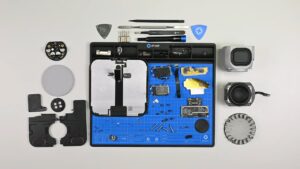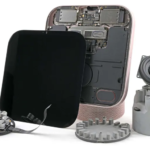

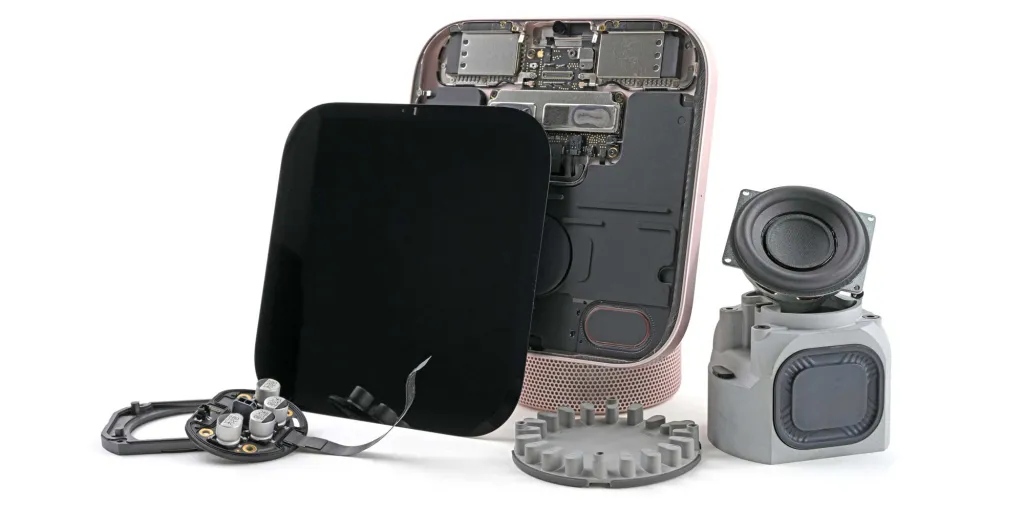
A broken Apple HomeView is hard to fix, and Apple’s repair fee sits close to the price of a new one. iFixit tore down the $299 smart home hub and found glued speakers, brittle connectors and a pivot that resists separation. Without AppleCare, Apple charges $279 for service on either model, according to 9to5Mac’s look at HomeView repair pricing.
What iFixit found inside HomeView
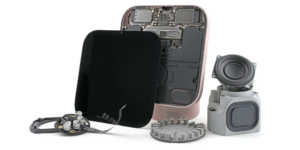
HomeView is Apple’s first smart home hub to pair an iPad-style display with a HomePod. It puts a 7-inch display on top and a HomePod mini-style base below. A few screws hold the two halves together. The device went on sale on November 13, 2026, with a 12MP Center Stage camera and an optional speaker base that doubles as a stand.
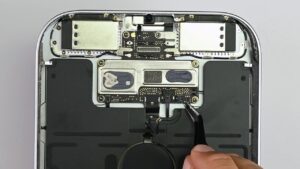
In its HomeView teardown, iFixit said it expected an easier job, given Apple’s recent repair gains. The display half proved very difficult to open instead. iFixit said Apple glued the display harder than any recent Apple product it has opened. The aluminum enclosure pulled heat away, so softening the adhesive took a long time.
Broken speakers and brittle connectors
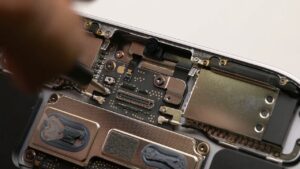
Both speaker connectors are brittle and glued. The leads of the left connector tore out of their housing. The right connector would not come out without damage, even after heat and a knife along the seams. iFixit compared them to brittle connectors in the Steam Deck and the M4 Mac mini.
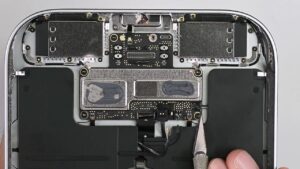
Thick adhesive pads hold down the two large speakers. One speaker snapped in two during removal. iFixit noted that laptop makers usually fix speakers with screws and grommets. Apple’s own MacBook team uses lighter adhesive, it added.
A glued thermal shield sits under the logic board, which makes removing the board risky. Mixed fasteners slow the work too. One connector bracket uses a Phillips screw and a Torx screw side by side. The camera bracket needs a larger Torx bit. iFixit saw no clear reason for all the bit changes.
Two side microphones came out easily. A third microphone under a top bracket is both screwed and glued. A heavily glued cover plate guards the four-screw passage to the base, and it came off with a flex cable that appears to carry a temperature sensor.
The base is better, but the pivot is not
The base follows the HomePod design closely. A non-slip pad peels off, and four Torx screws release the bottom plate. The USB-C port is modular, which iFixit credited to lessons from HomePod repairs. The power supply board also comes out easily after a few screws and connectors.
Two problems remain. The woofer has a very short cable that is hard to reach and unplug. iFixit said a longer, coiled cable would have fit. The pivot is worse. Large, threadlocked Torx screws hold it at an awkward angle. Apple routed the interconnect cables through the pivot before it installed those screws. As a result, you cannot split the two halves without special tools or largely destructive disassembly.
iFixit put its verdict bluntly: “Nobody at Apple fought for the day a HomeView breaks.” The repair firm did not publish a repairability score.
Tabletop vs wall-mounted HomeView
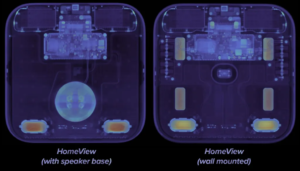
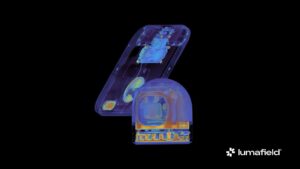
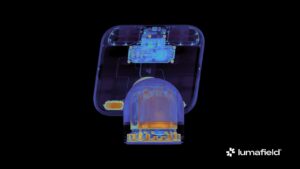
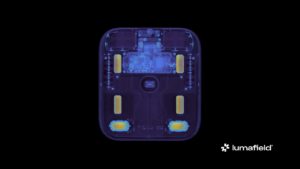
Apple sells two versions, and each costs $299. iFixit compared them using CT scans from a Lumafield Neptune scanner. The table lists only the differences the sources describe.
| Detail | HomeView (speaker base) | HomeView (Wall Mounted) |
|---|---|---|
| Price | $299 | $299 |
| Speakers | Larger speakers, plus a woofer and two passive speakers in the base | Smaller speakers, no speaker base |
| Mounting | Circular pivot mount | Extra magnets |
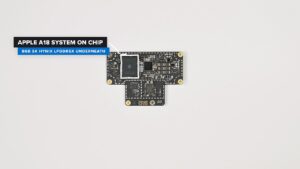
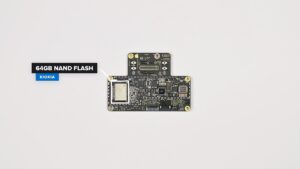
| Logic board | A18 chip, 8GB SK hynix LPDDR5X, apparently 64GB Kioxia NAND | Larger, different logic board |
| USB-C | Modular port in the base | Port exits at the center |
| Not included | – | Wall mount and power adapter |
| Service fee without AppleCare | $279 | $279 |
What a broken HomeView costs you
The teardown matters most once a unit fails. 9to5Mac found that Apple lists one $279 fee for either model, under a single “Other damage” category. Apple shows no separate prices for a cracked screen or a faulty speaker.
That fee is only $20 below the retail price. 9to5Mac suggested Apple may swap whole units rather than repair parts, but Apple has not confirmed this. The teardown helps explain why part-level repair would be hard.
AppleCare+ for HomeView costs $2.49 per month or $24.99 per year, 9to5Mac reported. With it, the accidental damage fee drops to $39 for either model and any type of damage. Apple’s HomeView service and repair page says the standard warranty covers manufacturing issues for one year. It excludes accidental damage. Apple sets the final fee only after it inspects the device, and mail-in service can add a shipping fee.
What you can do now
- Compare the numbers. One year of AppleCare+ plus one claim costs $63.98, against $279 without coverage.
- Use the warranty for defects. Apple covers manufacturing faults for the first year.
- Skip do-it-yourself fixes on the display half. iFixit broke a speaker and a connector even with heat and a knife.
- Budget extra for the wall-mounted model. Apple sells its wall mount and power adapter separately.
A step back from HomePod 2
This result breaks a recent trend. In 2018, iFixit needed a hacksaw to open the original HomePod. The HomePod 2 opened without destruction in 2023. iPads have since gained easier battery access, replaceable USB-C ports and official repair manuals. iFixit pointed to Apple’s other current products as proof that the company can do better.
What remains unclear
Apple has not said whether the $279 fee pays for a repair or a replacement unit. iFixit’s published look at the wall-mounted model relies on CT scans, so its repair details are less clear.