Microsoft Unleashes the Windows 11 2026 Update
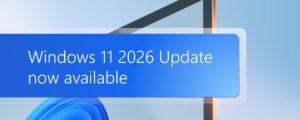
Microsoft officially released a public announcement today. They are dispatching the Windows 11 2026 Update to eligible computers. Enthusiasts also call this release Version 26H2. The company delivers this upgrade via a compact enablement package. You can view the official message where Windows Update announced the 26H2 rollout. Furthermore, officials state that this iteration consolidates numerous previous innovations. It seamlessly integrates all security improvements introduced throughout the past year. Consequently, users will notice several major enhancements detailed below.
A Highly Intelligent File Explorer
First, the File Explorer receives substantial productivity upgrades. Artificial intelligence now expertly manipulates your digital images. Additionally, the system automatically generates concise summaries for your personal documents. Users can swiftly manage their professional or academic accounts. Finally, the software natively supports a wider variety of archive formats.
An Enhanced Windows Search Experience
Next, the updated search function offers tremendous convenience. The mechanism now recognizes typographical errors with remarkable precision. Furthermore, it easily identifies common application abbreviations. The interface presents beautifully categorized results alongside helpful file previews. Therefore, discovering your essential content requires minimal effort.
Superior Accessibility Features
Meanwhile, Microsoft vastly improved systemic accessibility tools. The Magnifier application gains highly refined scaling options. It also introduces sophisticated color filters for visual comfort. Additionally, the Narrator utility welcomes a novel Braille viewer. Voice access capabilities expand significantly on supported advanced machines.
Abundant Personalization Settings
Moreover, individuals can freely customize their digital workspaces. The Start menu features exciting new visual layouts. Users can easily adjust its overall dimensions. Furthermore, the taskbar boasts additional placement configurations. You can even activate a sleek, compact taskbar mode.
Extended Software Support Lifecycles
Unsurprisingly, this release follows the established annual rhythm. Home and Pro editions receive a standard two-year support cycle. Conversely, Enterprise and Education variants enjoy three full years of maintenance. The initial monthly patch will arrive swiftly on October 13. Currently, eager consumers must utilize the integrated update tool. However, experts predict the imminent arrival of standalone installation images. We will diligently monitor this situation and provide timely updates.