OpenAI Integrates Slides into ChatGPT Space
OpenAI launched ChatGPT Space last month, introducing a comprehensive suite of tools that encompasses Pages, Slides, and Sheets. While the company initially announced that Slides and Sheets would arrive at a later date, OpenAI has now officially integrated the highly anticipated Slides presentation tool directly into the ChatGPT ecosystem.
Generating and Customizing Presentations
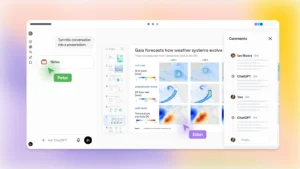
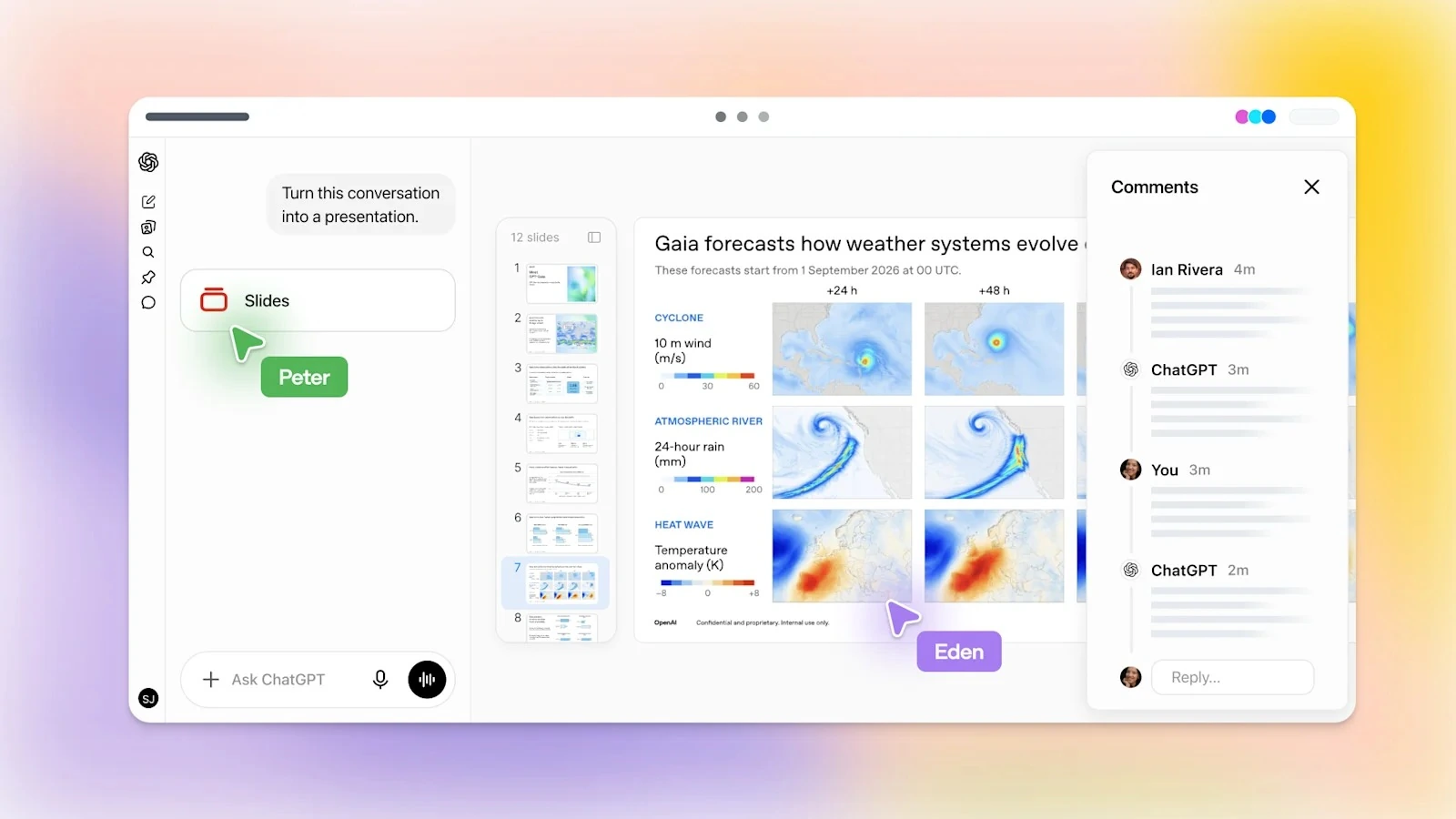
Through an official announcement on the X platform, the organization unveiled a multitude of capabilities now accessible to users. Individuals can seamlessly instruct the artificial intelligence to generate sophisticated presentations derived from conversational context, uploaded documents, or structured outlines. Alternatively, they may select from a diverse array of built-in templates to craft their visual narratives.
Once the presentation materializes, users can effortlessly share it with their respective teams, mirroring the collaborative fluidity found in Google Slides. Invited participants possess the capability to co-edit the document in real time, modify the underlying content, and leave insightful feedback through comments. Furthermore, creators can command the AI to automatically refine the presentation based on the collective team critiques, a highly efficient workflow thoroughly detailed within the official documentation explaining the new ChatGPT Slides features.
Upon finalizing the composition, the presentation seamlessly opens in established software such as Microsoft PowerPoint and Google Slides. Additionally, the platform fully supports exporting the finished product as downloadable PDF or PowerPoint files for ultimate convenience.
Availability Across Subscription Tiers
Notably, this powerful presentation utility is currently available exclusively to subscribers of the Pro, Business, and Enterprise tiers. Authorized users can effortlessly initiate the process by issuing a direct command to the AI assistant, such as “Create a ChatGPT presentation based on this document or conversation.”
However, ChatGPT Plus subscribers currently lack access to this functionality. Because Slides operates as an integral component of the broader ChatGPT Space infrastructure – which remains strictly reserved for Pro, Business, and Enterprise clientele – Plus users cannot utilize the service at this time.