
An Android phone running Apple’s iOS can now unlock with a fingerprint, according to a new video from a Chinese tech blogger. The 43-second clip appeared on Weibo on the evening of November 18, 2026. It comes from an account called BugOS Tech Group.
The original BugOS Tech Group post on Weibo carries a one-line caption. In translation, it says the Android version of iOS “can now use fingerprint unlock.”
That is a notable claim. Sensors and Apple’s security hardware have been among the parts these hobby ports could not run. The open-source ios-sweet project, for example, lists sensors and “SEP / Face ID” among its broken features.
What the demo shows, and what it leaves out
The post itself is short. It does not name the phone, the iOS version or the method used. No source code or technical write-up came with it.
The video had about 17,000 views when we checked on November 19. The account has around 221,000 followers, and Weibo labels it a digital tech blogger.
Without those details, the result cannot be checked independently yet. The clip supports one claim: a fingerprint unlocks an iOS lock screen on an Android phone. It does not show how the fingerprint data is stored or protected.
Why fingerprint unlock stands out for iOS on Android
These projects are not launchers or iOS-style themes. They pair XNU, the kernel Apple publishes as open source, with unmodified iOS system files taken from an iPhone X.
The ios-sweet README on GitHub gives the clearest public picture of the current limits. The project targets the Xiaomi Redmi Note 10 Pro and runs iOS 16.7.16. As of October 18, 2026, it boots to the iOS home screen.
Several things work on that build. The display, touchscreen, power and volume buttons, Settings and Control Center all respond. A long list still fails, though:
- Wi-Fi, Bluetooth, cellular data and GPS
- Audio and the camera
- Sensors, plus the Secure Enclave (SEP) and Face ID
- Leaving an app, since the home gesture does nothing yet
- The graphics chip, so drawing runs on the CPU at roughly 20 to 30 fps
On a real iPhone, Touch ID depends on the Secure Enclave, a separate security processor. A port that unlocks with a fingerprint has therefore solved, or worked around, a part that other public builds still list as broken. Which of the two happened here is not known.
Where the known iOS on Android projects stand
The table below uses only details the projects or the cited reports have published.
| Project | Phone | iOS build | Public code | Fingerprint |
|---|---|---|---|---|
| ios-sweet | Redmi Note 10 Pro | iOS 16.7.16 | Yes, on GitHub | Sensors and SEP listed as not working |
| ios-topaz | Redmi Note 12 4G | iOS 16.7.16 | Yes, on GitHub | Not reported |
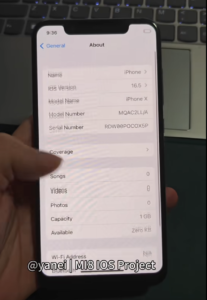
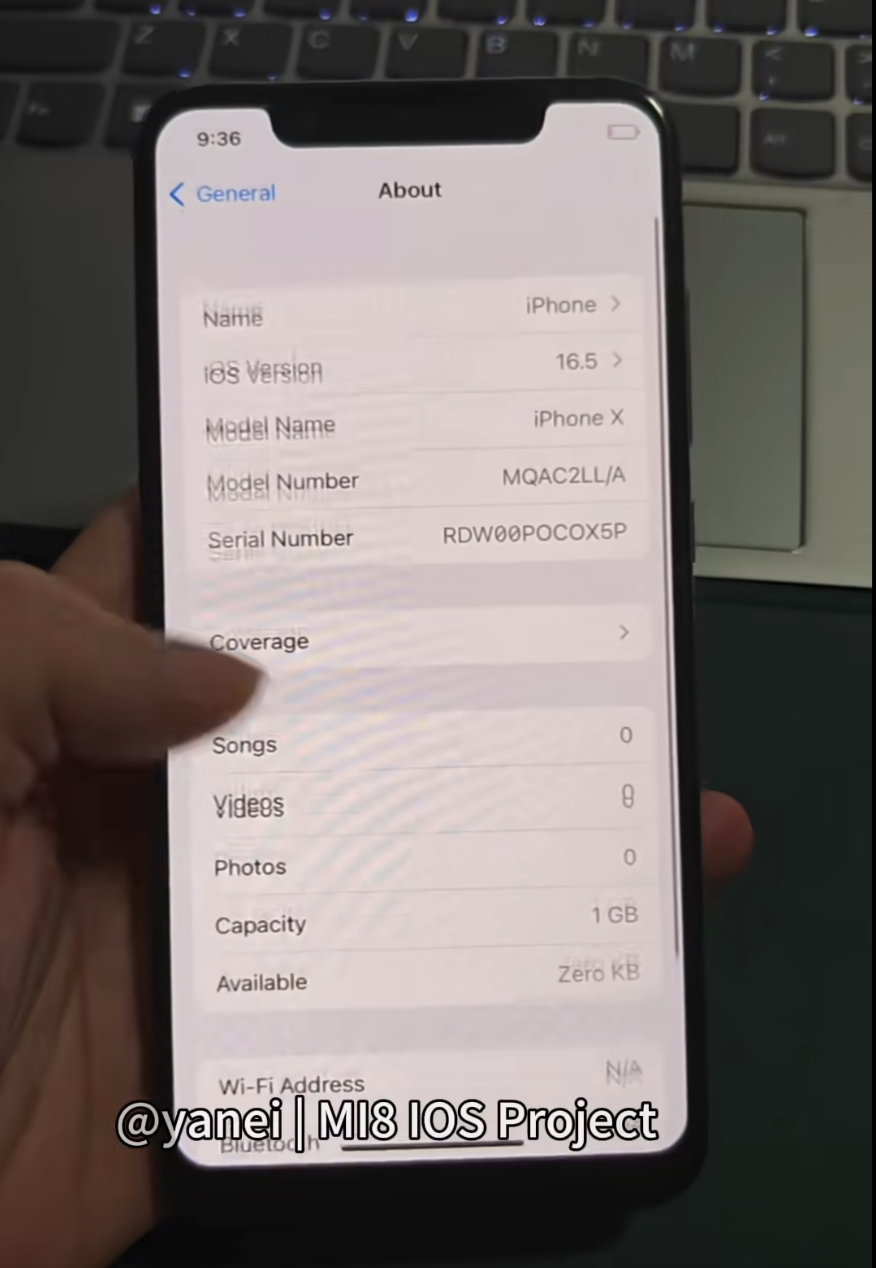
| HackiOS | Poco X5 Pro | iOS 16.5 | No | Not reported |
| BugOS Tech Group demo | Not named | Not named | Not stated | Shown unlocking in video |
A fast-moving month
- October 18: The ios-sweet README reports that the Redmi Note 10 Pro boots to the iOS home screen.
- October 18: A developer known as Makr posts a video of ios-topaz on a Redmi Note 12 4G, as Tech-ish reported.
- October 19: Decrypt reports HackiOS on a Poco X5 Pro, with no public code, and another build on a Nothing 3a.
- November 18: BugOS Tech Group posts the fingerprint unlock demo.
The ios-topaz port shows how hard the hardware side can be. Its phone uses a Snapdragon 685, and iOS 16 needs 16KB memory pages that the chip’s slow cores cannot handle. As a result, only four of the eight cores run iOS, Tech-ish reported.
What changes for you
For now, not much. None of these builds is a daily phone. The ios-sweet README calls itself an “experimental bring-up, not a usable phone OS.”
Security is the bigger issue. The same README says Apple’s security model is mostly disabled on that build. Its AppleKeyStore is a stub, and there is no data protection. The developers warn users not to put anything personal on the device. Decrypt gives similar advice.
A working fingerprint reader does not fix that by itself. Unless a builder shows that data protection also works, treat a fingerprint lock on these ports as a convenience, not as security.
If you still want to experiment
- Use a spare phone that matches the project exactly. ios-sweet supports the Redmi Note 10 Pro with an unlocked bootloader.
- Expect to lose your Android data. Installing ios-sweet erases the userdata partition.
- Back up the partitions the README names first. Some of them hold per-device calibration data.
- Plan for a Linux PC and a GitHub account to build the kernel.
- Keep accounts and personal files off the device.
The projects also do not ship Apple’s software. The ios-sweet README states that iOS “is Apple’s and is not distributed here.”
Open questions
Several basic facts are still missing. BugOS Tech Group has not said which phone it used or which project its build is based on. It has not said whether it plans to publish code.
The biggest unknown is how the fingerprint check works. The team has not explained it, and the answer matters for how safe the lock really is.
We also found no public comment from Apple on these ports. Watch for a code release or a technical write-up from the team. Either would let others confirm what the video shows.