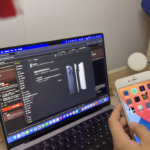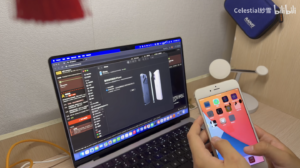

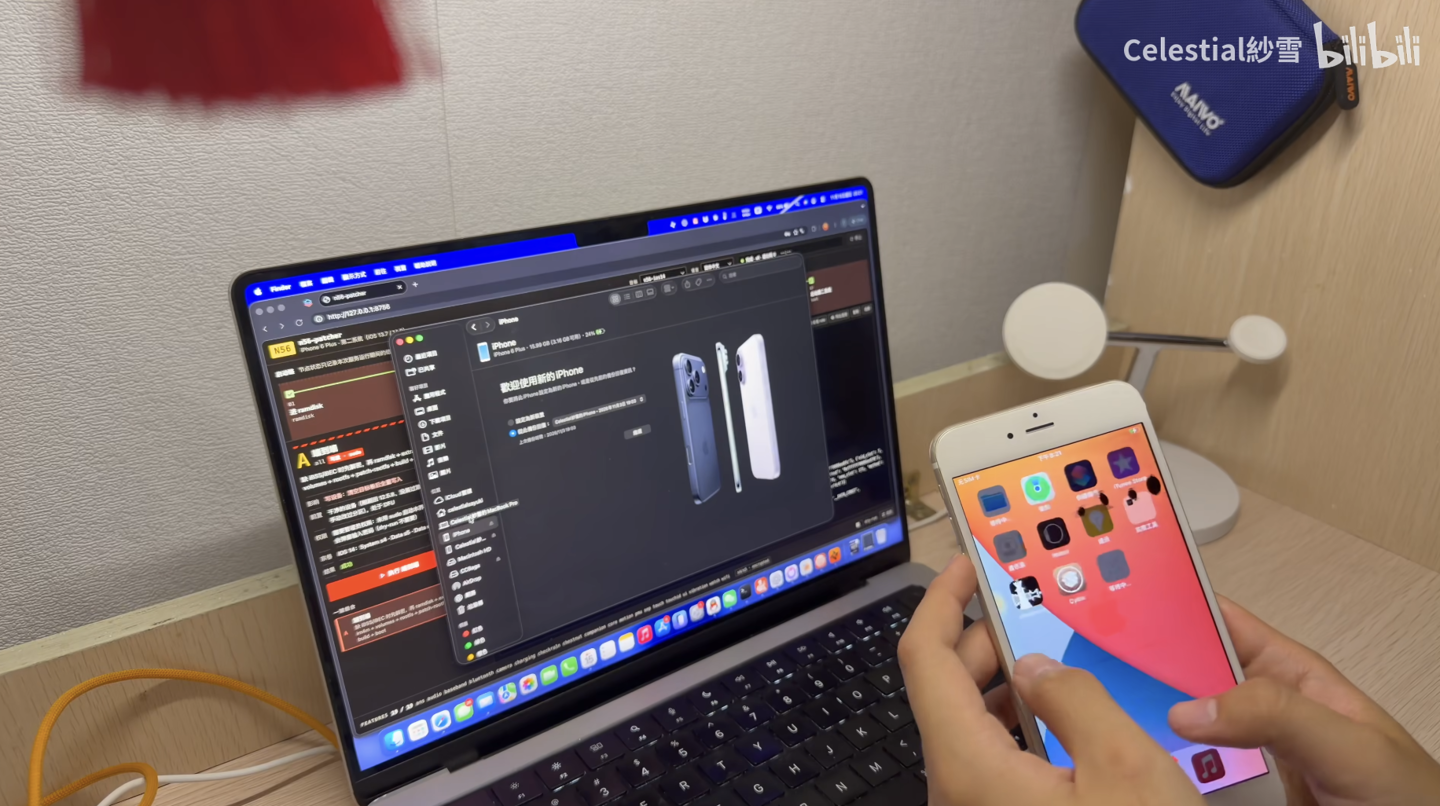
A 2014 iPhone 6 Plus can now boot iOS 14.8. Apple’s own iPhone 6 Plus iOS updates stop at the iOS 12 line. The new system runs next to iOS 12 on a separate volume, and every later boot starts from DFU mode with a Mac attached.
The tool is called n56-patcher. N56 is Apple’s internal board name for the iPhone 6 Plus. Its developer, CelestialSayuki, showed the result in a Bilibili video billed as a world first, posted on November 15. The code is open source under GPL-3.0 in the n56-patcher GitHub repository.
What works on iOS 14.8
The project README says iOS 14.8 “boots and is jailbroken, with all hardware and system features working.” Its status page lists these items as working:
- Touch screen, display, buttons and USB
- Wi-Fi (including AWDL), Bluetooth and the cellular baseband
- Audio with recording, vibration and the flashlight
- Sensors, the M8 motion chip and the camera
- Activation, iCloud, App Store sign-in and iCloud backup
- Health, Touch ID, NFC and Apple Pay
- Apple Watch pairing
Two caveats appear in the same list. iCloud backup needs the encrypted data volume. Remote diagnostic sessions started by Apple Support return an “unknown error.” The developer blames that on Apple’s servers, not the phone.
Touch ID has its own limit. The fingerprint sensor must keep its factory pairing with the phone’s security chip. A phone with a replaced sensor cannot enroll fingerprints, which matches how native iOS 12 behaves.
What changes for you
Your iOS 12 system stays in place
The port does not replace iOS 12. It installs iOS 14.8 as a “second system” on its own System14 and Data14 volumes. Both share one APFS storage container with iOS 12.5.8. The data volume is encrypted by default.
The tool also supports iOS 13.7 as an alternative target.
You need a Mac every time you boot it
Building and installing happens on a Mac. To start iOS 14.8 again later, the docs tell users to put the phone into DFU mode and run the tool’s boot command from the computer. That makes it a poor fit for a phone you restart on the go.
The build also needs full Xcode for the iPhoneOS SDK, Python 3, and internet access for one setup step.
16GB models are tight on space
The project’s iOS 14 notes give exact figures for the 16GB model. They show why the README warns owners to check storage first.
| Item (16GB iPhone 6 Plus) | Size reported by the developer |
|---|---|
| Whole storage container | 14.9 GiB |
| iOS 12.5.8 system after a restore | About 4.2 GiB |
| iOS 14.8 system volume (measured) | 8.09 GiB, with some language data trimmed by hand |
| iOS 14.8 system volume (expected after a fix) | About 6.5 GiB, not yet confirmed |
| iOS 14.8 data volume after some use | About 2.1 GiB |
About 1.85 GiB of the measured system size came from how files were written. The developer says a newer method keeps Apple’s compressed files compressed. On one tested folder, size fell from 612 MiB to 360 MiB.
Full storage causes clear symptoms, according to the notes. Setup can hang and reboot in a loop, and system services report a full disk. The Siri neural voice download, about 470 MB, can fill the container again and again after boot.
How to try it, and what to prepare
The project warns that the tool creates volumes and writes system files, so users should back up first. It is not affiliated with Apple, and users take the risk. With that in mind, the documented path looks like this:
- Restore the phone to iOS 12.5.8 (build 16H88). A restore makes older boot files from the tool invalid.
- On the Mac, install the Python requirements and run the setup script.
- Download the required IPSW files from Apple without renaming them. The iOS 14.8 flow uses the iPhone 6 Plus 12.5.8 file, the iPhone 6s Plus 14.8 file and the iPad Touch ID 14.8 file.
- On a 16GB phone, read the storage notes and plan to confirm free space with the fsck_apfs check the docs describe.
- Put the phone into DFU mode and run the end-to-end command for the n56-ios14 target. A local web interface in English, Chinese and Japanese offers the same flow.
The docs add one fallback. If the phone hangs at boot with the encrypted data volume, users should switch to the unencrypted option to rule it out.
Under the hood: parts from three devices
This section covers the technical build for readers who want it.
The iOS 14.8 kernel and system image come from the iPad mini 4. Drivers, device tree entries and iPhone-only resources come from the iPhone 6s Plus build of 14.8. Native parts, such as the security chip firmware, baseband and calibration data, come from the phone’s own iOS 12 install.
Touch ID needed extra work. The phone’s security chip still runs its iOS 12 firmware, which only accepts older commands. The developer added an iOS 12 “transport bridge” inside the kernel. It translates the setup, enrollment and matching messages between the two versions.
The second system ships jailbroken. It includes checkra1n 0.12.4, the Cydia 1.1.36 package manager and SSH access over USB.
Built with six Claude models
The developer says AI did much of the work. The video description lists Claude Fable 5.2, Opus 5.5, Sonnet 5.5, Haiku 5.5, Opus 4.8 and Sonnet 4.6. It says the iOS 14 stage took about 70 hours and roughly $1,000 in credits.
The README gives a larger figure. It says getting iOS 13 and 14 running has used over $1,500 of AI token quota so far. The two numbers appear to cover different spans of work.
The description also carries an essay presented as written by Claude. It credits the human developer with key decisions, such as keeping Touch ID on by default.
Timeline
- September 2014: Apple introduces the iPhone 6 Plus.
- September 2021: Apple releases iOS 14.8 for supported devices.
- November 2, 2026: The n56-patcher repository gets its first commit.
- November 15, 2026: A commit finishes iOS 14.8 work, including the Touch ID bridge. The video goes live the same day.
- November 16, 2026: New fixes land for the display driver and thermal model on iOS 13 and 14.
What remains unclear
Parts of the project are still being checked. All installs up to the developer’s 94th test round used an unencrypted data volume. Encrypted mode on 14.8, now the default, is being tested from round 95 on.
The space-saving write method also still needs a full test run on a freshly restored phone. Until then, the 6.5 GiB figure is an estimate.
iOS 15 is not on the table yet. In the video description, the developer only wondered whether it could be done in a few days, since the groundwork is in place. No iOS 15 build has been shown.