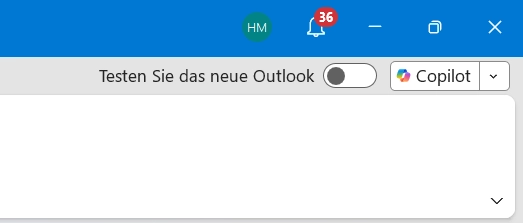
Technology outlet BleepingComputer published a report yesterday, October 19. They detailed how Microsoft shared a workaround for missing Outlook Copilot buttons. This recent patch targets the classic Outlook application. The update successfully restores the disappearing Copilot Chat interface.
Previously on September 17, Microsoft acknowledged an issue affecting classic Outlook users. Specifically, this occurred after upgrading to Build 20026.20182 or later versions. Some users possessing a Copilot Chat license or a paid Microsoft 365 Copilot account lost access to the Copilot features.
Symptoms of the Missing Copilot
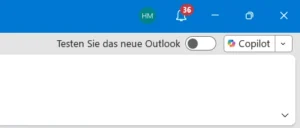
Affected individuals might encounter one or more specific problems. First, the Copilot button vanishes from the top-right ribbon area. Second, the Copilot icon disappears from the left app bar or the “More Apps” section. Third, Copilot might appear as an available application under “Add Apps.” However, selecting “Open” produces no response whatsoever. Finally, users might try adding the Copilot function manually via ribbon customization. Sadly, the command appears unavailable or grayed out.
Understanding the Root Cause
Regarding the root cause, Microsoft explained the situation clearly. Outlook failed to retrieve the necessary account information from the user profile. Furthermore, the missing Copilot button could stem from various environmental factors. These include licensing issues, Microsoft 365 app configurations, update channels, and privacy settings.
Therefore, Microsoft advises affected users to utilize the official Copilot troubleshooting tool. This utility helps locate and enable the missing Copilot button within Microsoft 365 applications.
Temporary Workarounds for Users
However, some users still cannot see the Copilot button. For them, Microsoft provided a temporary workaround. You can navigate through classic Outlook menus. Simply go to “File” and select “Options”, then click “Advanced”. Under the “Outlook Panes” section, check the box for “Show Apps in Outlook”. Alternatively, users can switch to the new Outlook application. They can also use Copilot seamlessly on the Outlook web version.