Google Auto Number Verification Stirs Android Privacy Concerns
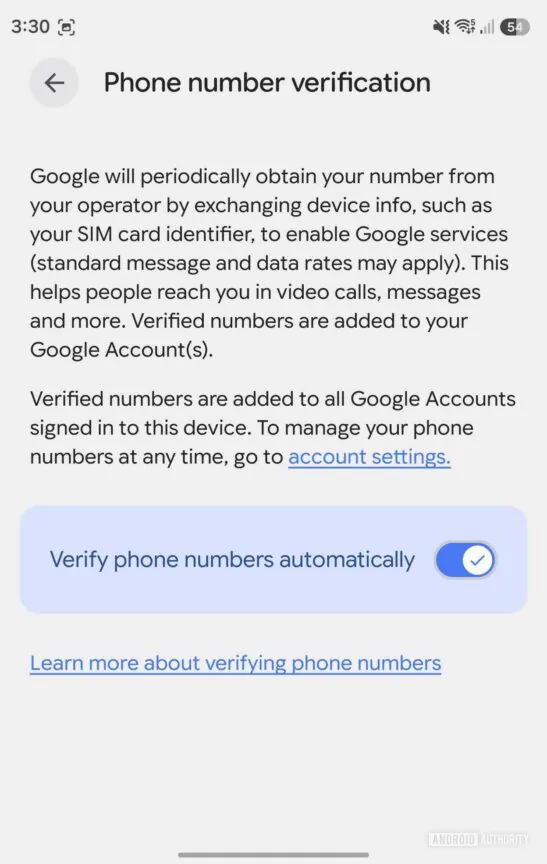
According to a recent report published by the technology outlet Android Authority, Android’s default “phone number verification” feature has ignited significant privacy controversies. Absent explicit, individualized consent prompts, users might discover that multiple Google accounts authenticated on their Android devices – encompassing secondary personal profiles, professional accounts, and backup credentials – have been automatically tethered to a singular mobile number.
Unnoticed Account Linkages
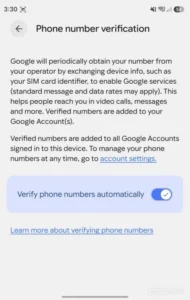
The publication highlights that numerous individuals recently received verification dispatches from [email protected], only to realize that their mobile numbers had already been validated and silently associated with multiple accounts. Official support documentation from Google reveals that this mechanism intends to routinely authenticate device numbers, thereby preserving communication reliability and facilitating seamless account recovery procedures.
The Balance Between Convenience and Privacy
The outlet observes that for the everyday consumer, this functionality might confer considerable convenience. When transitioning to a new device, restoring an account, or accessing a myriad of Google services, the ecosystem can more effortlessly ascertain the user’s identity. Conversely, for individuals who meticulously segregate their professional and private identities, manage discrete accounts, or simply desire to curtail the cross-referencing of their personal data, this default activation undeniably escalates privacy vulnerabilities.
How to Disable Automatic Verification
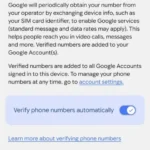
Currently, users possess the ability to disable the “Automatically verify phone number” parameter by navigating through their Android device configuration: Settings, progressing to Google, All services, Privacy and security, and ultimately selecting Phone number verification.
Nevertheless, deactivating this switch merely circumvents future automatic associations. If a mobile number has already been appended to a secondary or professional account, users must manually eradicate it by accessing the Personal info, Contact info, and Phone directories within each respective Google profile.
Additionally, a subset of users has reported an anomaly where the toggle reactivates autonomously upon returning to the settings page. The publication, however, noted an inability to replicate this specific malfunction and has formally requested official clarification from Google.