PSBOX Brings Xbox Cloud Gaming to Jailbroken PS5
The technology publication Tom’s Hardware published a fascinating report yesterday, October 12. The article detailed how a developer named RafaelNGP recently released an application called PSBOX Cloud Gaming on GitHub. This extraordinary unofficial client allows users to successfully run Microsoft Xbox Cloud Gaming on a jailbroken PlayStation 5 console for the very first time. Furthermore, it reliably supports streaming quality up to 1080P at 60 frames per second.
Exploring the PSBOX Cloud Gaming Experience
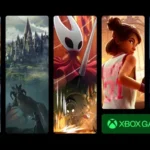
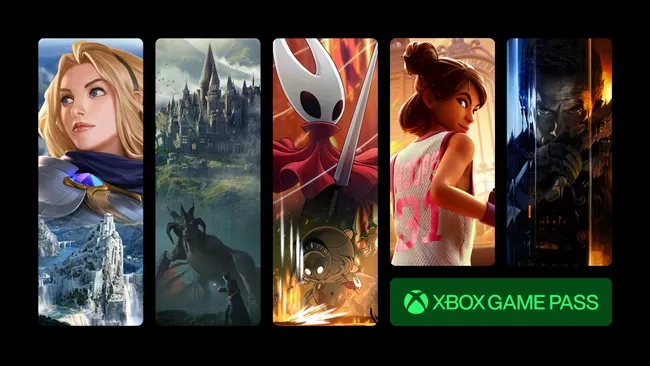
According to the report, players utilizing this unofficial PSBOX client can seamlessly browse the extensive Xbox cloud library directly from their modified PlayStation 5 consoles. They can then effortlessly stream these titles at a crisp 1080p60 resolution.
The software brilliantly supports mapping up to four native DualSense controllers to function perfectly as standard Xbox controllers. Users can easily log into their existing Xbox accounts using the standard PlayStation 5 interface. Additionally, they can complete the authentication process using their smartphones via an on-screen television code.
Advanced Features and GPU Utilization
PSBOX Cloud Gaming offers comprehensive support for the DualSense controller. It flawlessly translates its inputs to mimic an authentic Xbox controller. Furthermore, users can conveniently utilize the native PS5 system keyboard to populate in-game text fields. Impressively, users can also harness the raw power of the PS5 GPU. By leveraging advanced upscaling technologies like AMD FSR 1 or Anime4K, players can artificially elevate the visual output to stunning 4K. Consequently, this provides a significantly sharper, higher-resolution presentation on compatible PS5 display devices.
Installation Process and Current Limitations
The installation process remains relatively straightforward. It requires downloading a compressed ZIP archive directly from the GitHub repository. Afterward, users must extract the contents into a designated directory. Following a brief wait for the Homebrew loader to mount the application successfully, users can launch the software and log in.
However, potential users must understand that this software remains in its nascent stages of development. Several early testers reported experiencing noticeable video degradation. These visual glitches include distracting macroblocking and unusual pink artifacts. Additionally, some users noted highly erratic vibration feedback from the DualSense controllers.
Adding Xbox Remote Play Support
Beyond the standard Xbox Cloud Gaming functionality, RafaelNGP also introduced support for Xbox Remote Play. He implemented this highly requested feature after receiving numerous appeals from the user community. This specific capability allows users to stream games directly from a physical Xbox console they already own straight to their PlayStation 5. While this feature was notably absent in the initial release, the dedicated developer swiftly deployed an update just days later to rectify the omission.