Canonical Introduces Myna Speech-to-Text Preview for Ubuntu
Canonical has officially published a preliminary preview version of the Myna speech recognition system. Alongside this release, the company introduced specialized voice text input tools designed for seamless integration into Ubuntu. Ready-to-use packages are currently available for Ubuntu 24.04 LTS, Ubuntu 26.04 LTS, and Ubuntu 26.10, supporting both amd64 and amd64v3 architectures. Furthermore, the system fully supports GNOME desktop environments operating via the Wayland protocol. Users can choose among various locally executed AI speech models, including Whisper, Parakeet, and Funasr, which provide robust multi-language support. You can read the official announcement directly on the Canonical Ubuntu Blog.
Seamless Desktop Integration with Myna Shell
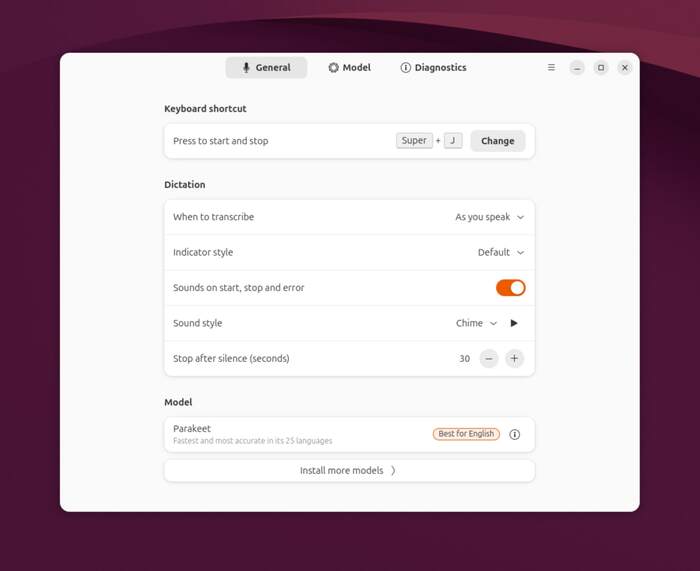
To achieve flawless desktop integration, developers crafted a dedicated GNOME Shell extension known as Myna Shell. Voice input activation occurs effortlessly via a simple keyboard shortcut: pressing Super and J simultaneously. Once activated, users can dictate text aloud. Pressing the same shortcut combination once more terminates the dictation session. Finally, the transcribed text automatically inserts itself into the active application through simulated keyboard input.
Customization and Hardware Acceleration
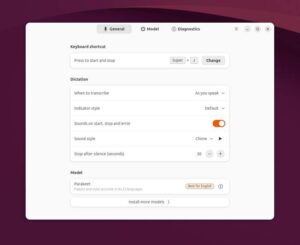
The system settings menu now features a specialized configuration section. This panel allows users to modify the activation key combination, manage visual indicators for start and stop states, and configure automatic timeouts following periods of silence. Additionally, users can select their preferred text insertion mode—either dynamically as words are spoken or all at once upon completion—alongside choosing their desired AI model. Moreover, the platform provides a dedicated hardware acceleration engine designed to optimize speech recognition model execution on systems equipped with Nvidia GPUs, with support for alternative acceleration methods arriving in future updates.
Installation via PPA Repository
Users can easily install the new tool suite directly through the official Personal Package Archive repository by executing the following terminal commands:
sudo add-apt-repository ppa:canonical-desktop-team/myna
sudo apt install myna-config